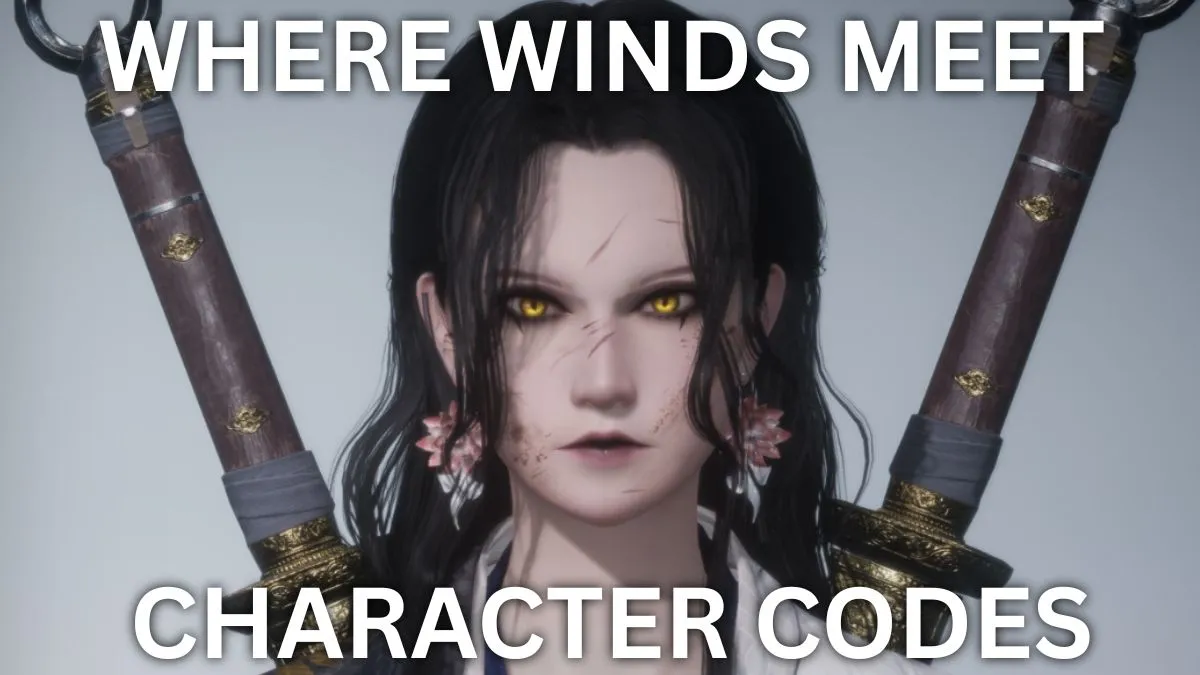
Have you ever spent an hour tweaking your character in Where Winds Meet, only to realize it just doesn't feel right? Don't worry—you're not alone. That's exactly why the community has created a variety of character creation codes that you can simply copy and paste to get a stunning look. Ready to upgrade your avatar? Let's dive in.
First, an important point: when you import a code, only the cosmetics you actually own (like hairstyles and clothing) will be applied. So if the original design used items you don't have, your character will still look good, but it won't be an exact match for the code creator's character. Keep that in mind.
Here are some killer female codes worth trying.
ARTaRgl9NScEB6CDSEe, ARTaRmHH0qPvNgERK81, ARTaRjx+8L8ABQaUnr8, ARTaRfQDt7cKUJK8V3, ARTaSMJgDE6Kdx2LMsU, ARTaRfKWR3F6QxhNIdA, ARTaR6swD4aLk15RCQx, ARTaRnDTmFRzb0WMIvf, ARTaRpBHR98WQ7ktds, ARTaRoDbHXXFBaDcpyJ, ARTaRpyMQVKzTtbUpnI, ARTaRgoOs2XrwLiLxYj, ARTaRe+NEE+qoVBNk7q, ARTaRgb0FGL82ogVE0C, ARTaRfGp0PdgeI9N9g7, ARTaRfy7utCrflrCZQb, ARTaReudBGgqIh5YLSm, ARTaRezVay9rmkXMmy+, ARTaRgtY+W8qAgncPVN, ARTaRfpU78Qc6hzXzM+, ARTaRelXR98SY7MEj+, ARTaResDTwMKVz2CMn4, ARTaRgWN3XXFASDBh+4, ARTaRo8hnep6LB8ecVD, ARTaRfCzMk151sGI4JW, ARTaRgAa8k151gGeLhE, ARTaRfM+ft7cLoJQQ+W, ARTaRnfKLSNJrr1YR05, ARTaRj1zLsdzitzYolc, ARTaRqibJ7jnXx8efd+q, ARTaRe77rtmIxgXBWAJ, ARTaRfVJVYQ8ad2feE2, ARTaRfW9RfV33f5PRM7, ARTaRhlGpodygoaQMcd, ARTaRistk7yYv+FP58l, ARTaRtpanonW7odQ9c3.
And for your friends, try these male codes.
ARTaRvVgK6Hm+srVuv+, ARTaRjNQlGL84kgWa29, ARTaRie8oCa5OYpdIx, ARTaRrKJGphr9sBOMCD, ARTaRpWLsk15x0GQfrl, ARTaRprXck15xoGO1ee, ARTaRfbd4+UI7QkH7f, ARTaRhXhcsHsEQUfX87, ARTaRiItQVKzU9bbsaX, ARTaRetTeW8qN0mSn9u, ARTaRewLdEv6VGCS+gV, ARTaRtY50qPvNUESyb7, ARTaRfAApcZ1dEgTxnx, ARTaRhXhcsHsEQUfX87, ARTaRexMeFJ3uwbDHz0, ARTaRiaSz4aLmt5epAM, ARTaRfg0RC1e9YWPOCR, ARTaRfF+57jnV98BfjT, ARTaRgarILKVff+Nx6A, ARTaRfRCqbawnAVci+R, ARTaRiKK5cZ1bwgYr6M, ARTaRig+V46k1SYylv, ARTaRgVCPt7cJYJJVf, ARTaRfFCVRI6Jl5AaBq, ARTaRgqPpa5Cj37e0gT, ARTaRm5GnR98WQ7fy6A.
Using these codes is very easy. Here's how.
1. Open the character creation menu. 2. Click "Import Customization Data" in the bottom left. 3. Paste the code into the "Enter Customization Code" field. 4. Press the copy button in the bottom right to apply it. If you have a QR code image, you can scan it too, but it takes a little longer.
So what if you've already started playing and want to adjust your appearance? You'll need the Water Lady script. You can get one around level 10, and more later on. You can also buy it in the in-game shop for 200 Echo Jade (it's a free currency, so no real money needed).
Want to change your gender? That's a different story. The only way is to use a Transmutation Pill, a premium item that costs 1,280 Echo Beans (paid currency). But don't worry—the developers have stated that this pill will be given out for free in future events, so keep an eye out.
Getting a code that says "Expired"? That happens when the original creator has deleted the preset from the gallery. Once it's gone, the code becomes useless. If you find a code you like, save it quickly!
Did these codes work for you? Have any other cool content worth sharing? Leave it in the comments below!
Comments (0)
Log in to join the discussion
LoginNo comments yet