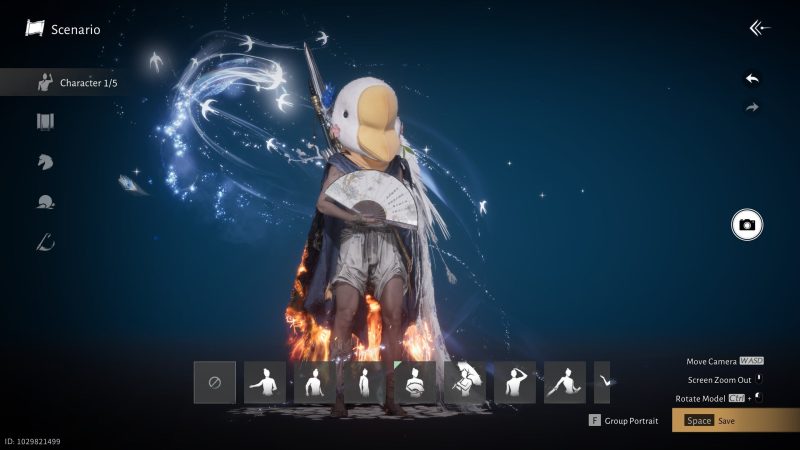
Ever wondered just how unique you can make your Wuxia warrior in Where Winds Meet? The game gives you intricate control over your character's appearance right from the start, but the real magic happens after you begin your journey. Let's take a detailed look at all the customization options available before and after character creation.
When you first start, you'll create your character from scratch after the opening cutscene. You can customize a wide range of features, including foundation, eyebrows, pupils, eye makeup, lip makeup, blush, face accessories, facial hair, and hairstyles. One thing to note: you can't change your hair color at first. Everyone starts with the same dark locks. Changing it later requires dye, which you can get through currency exchange. Check out our dedicated guide on changing hair color for more details.
After selecting a body type, you'll be offered the option to use Smart Customization. This nifty feature can generate a face based on a voice recording or an image. For voice, you read a reference text and the game picks traits to build your character. For images, click to upload an image and grant permission to access the file. There are no strict image requirements, but it's best to use a clear, unobstructed face photo so the AI doesn't get confused.
Once your character is created, customization expands even further. You can revisit every aspect of your initial look—hairstyles, body type, makeup—though you often have to sacrifice specific items. You can also change the appearance of outfits, weapons, and mounts. All these options are in the Appearance section of the main menu. Changing your look requires certain items that you'll collect as you play.
Importing customization data is also possible. You can do this during or after character creation for outfits or appearances. In the Appearance menu, you can upload an image containing a QR code or enter a custom code. These codes can be found in the in-game gallery or from other players. Once you find one you like, select Apply and choose how to apply it. To share your own creations, use the share function in the character customization menu. An image with a QR code will be generated at the bottom left.
Outfits are another great feature. You can create outfit sets called "Plans" that you can switch between at any time, or set them to change automatically based on activity or region. To open the outfit selector, go to Appearance and press the Outfit Plan button (F on PC, Y on Xbox, △ on PlayStation). Here you can save your current look to a slot. You can retake the cover image, rename the outfit (up to 9 characters), overwrite saved designs, apply builds, or set auto-switch rules.
Did this guide help you create the perfect warrior? Let us know in the comments below!
Comments (0)
Log in to join the discussion
LoginNo comments yet